

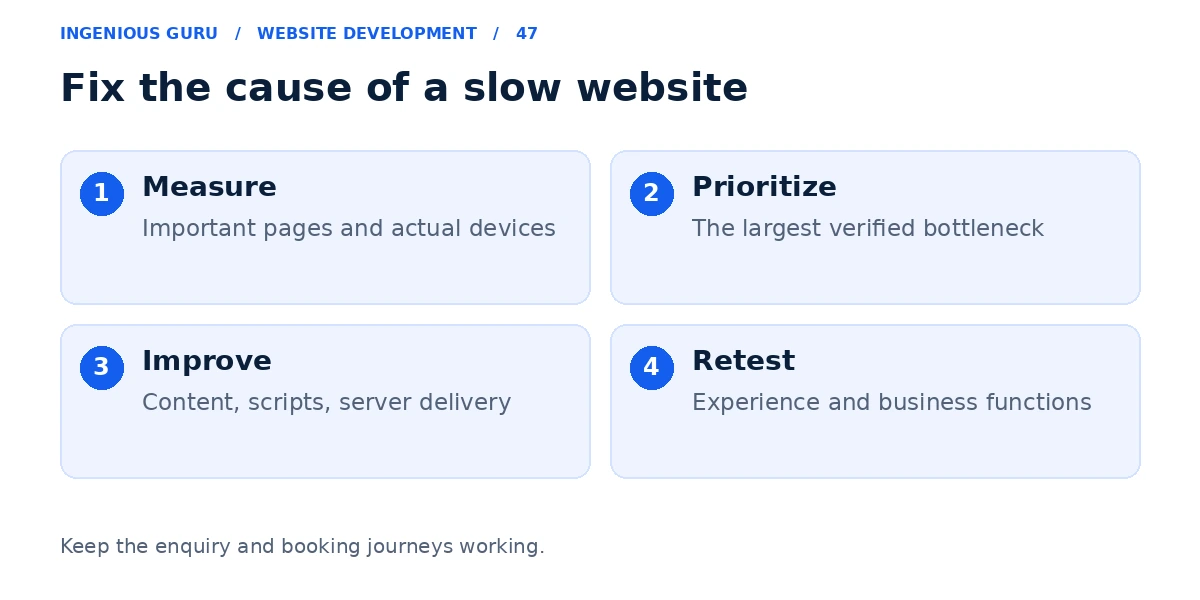
Improve website speed by measuring your important pages and fixing the resources or server delays that make them slow. Common work includes correctly sized images, better delivery of the main content, fewer unnecessary scripts, and suitable caching. Judge the result on real customer devices and working business functions, as well as test reports.
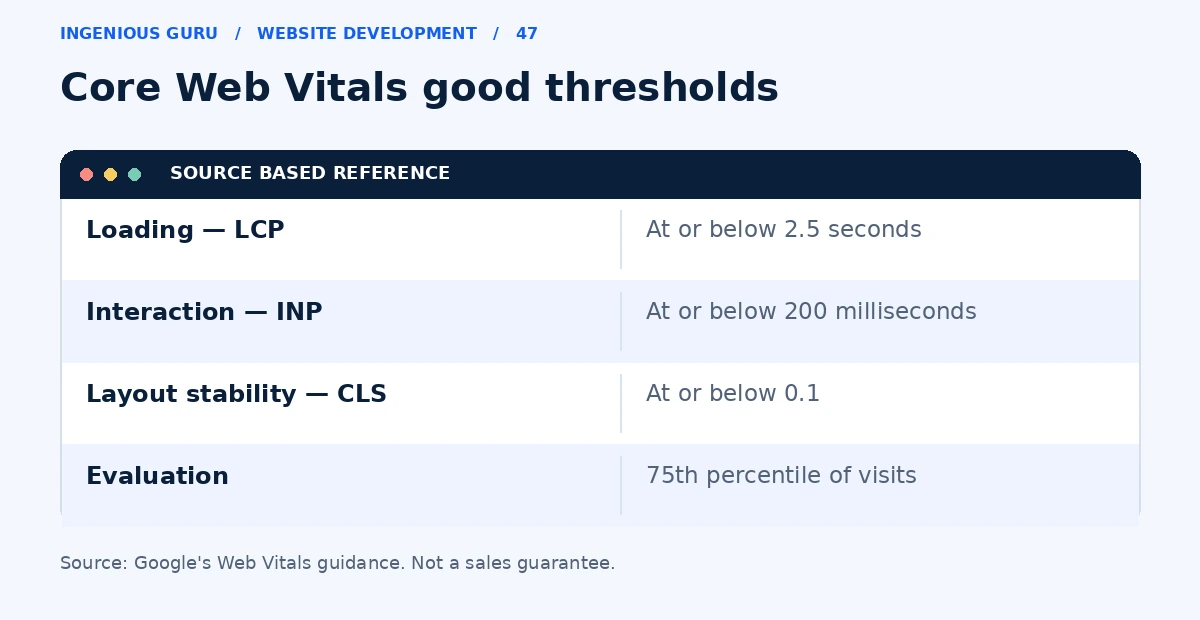
Google's Core Web Vitals guidance evaluates loading, interaction, and layout stability. Its good thresholds are LCP at or below 2.5 seconds, INP at or below 200 milliseconds, and CLS at or below 0.1, evaluated at the 75th percentile of visits. These are experience measures, not a guarantee of rankings or sales.
Measure the pages customers actually use
Test the home page, a popular service page, and the enquiry or booking page in PageSpeed Insights. Check whether the report has real-user data for the specific page or only for the broader site.
A lab test is useful for diagnosis; it is a simulation rather than every visitor's experience. Where real-user data is available, use it alongside repeatable lab tests and a real phone check.
Improve delivery of the main content
The official LCP optimization guide explains how server response, resource discovery, and rendering affect the main visible content. Check which element is being measured before choosing a fix.
Resize and compress large images, provide suitable versions for different screens, and reserve their space. Load the important hero image promptly; use deferred loading for suitable images further down the page. Avoid a heavy background video if it delays the information customers need.
Review scripts and integrations
Inspect advertising tags, trackers, sliders, animations, chat tools, and unused plugin assets. Remove what the business no longer needs and test whether remaining resources can load later without disrupting the customer journey.
Change one group at a time. Disabling code indiscriminately can break a form, payment flow, or booking widget even if a test score improves.
Check hosting and caching
If the server is slow to respond, image changes alone may not resolve the delay. Review hosting resources, application work, database queries where relevant, and whether public pages are being cached appropriately.
Keep personalized pages and transactional operations out of unsuitable full-page caches. If you are using WordPress, back up the site and test changes in a suitable staging environment before changing several optimization settings.
Verify the practical result
Repeat the relevant tests after the changes and compare like-for-like pages and conditions. Check the menu, enquiry delivery, booking, and other affected functions. Real-user reports may reflect a longer collection period, so they do not necessarily change immediately.
Read the mobile-friendly website guide for layout and interaction checks. If the underlying setup prevents sensible improvements, review the redesign decision guide.
A sensible speed improvement sequence
- Measure important pages and identify the main bottleneck
- Optimize the content that appears first
- Remove unnecessary work and review third-party scripts
- Investigate server response and appropriate caching
- Retest customer functions and real-user experience
A practical first step: Run one important service page through PageSpeed Insights, identify its main loading problem, and investigate that problem before installing another optimization tool.
If you need help turning a performance report into practical fixes, Ingenious Guru can review your website's setup and important customer pages. Share the URL and any existing speed report.