

Choose a chatbot tool or custom integration that fits a specific task, such as answering service questions or collecting an enquiry. Install its supported widget or plugin, connect approved business information, and provide a route to a person. Test its answers and the handoff before publishing it across the website.
For a custom AI chat interface, OpenAI's ChatKit documentation describes an embedded chat approach. That is an integration option, not a ready-made guarantee of accurate business answers. Managed chatbot tools and website plugins offer other routes.
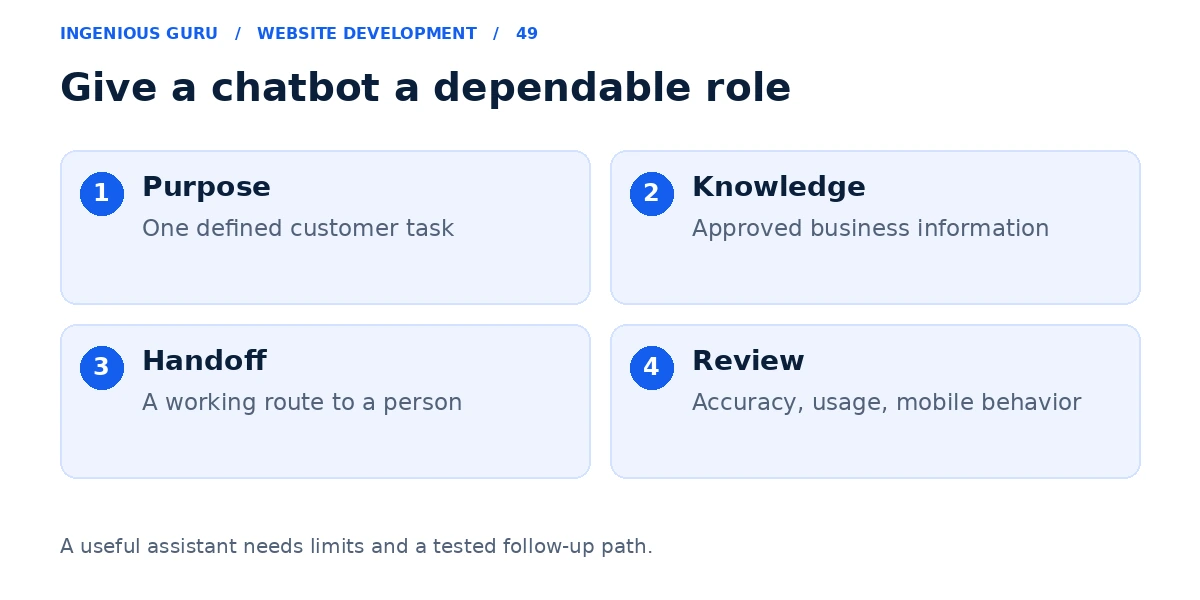
Give the chatbot one useful job
Begin with the recurring question or process you want to improve. A service FAQ assistant, an enquiry collection form, and an appointment assistant have different requirements. If you mainly need staff to reply, a live-chat widget may be a better starting point.
For example, a contractor might use a bot to explain the services offered and collect the project type and area. It should not invent a quotation or promise an available appointment without checking the real system.
Choose a supported installation route
On WordPress, a maintained plugin may provide the widget. On a hosted builder, check its app or script support. A custom site can use an appropriate embedded interface and server integration.
For an API-backed implementation, keep private credentials on the server, identify who controls the accounts, and set a usage budget. Confirm subscription limits, conversation allowances, data handling, and what happens when the service is unavailable.
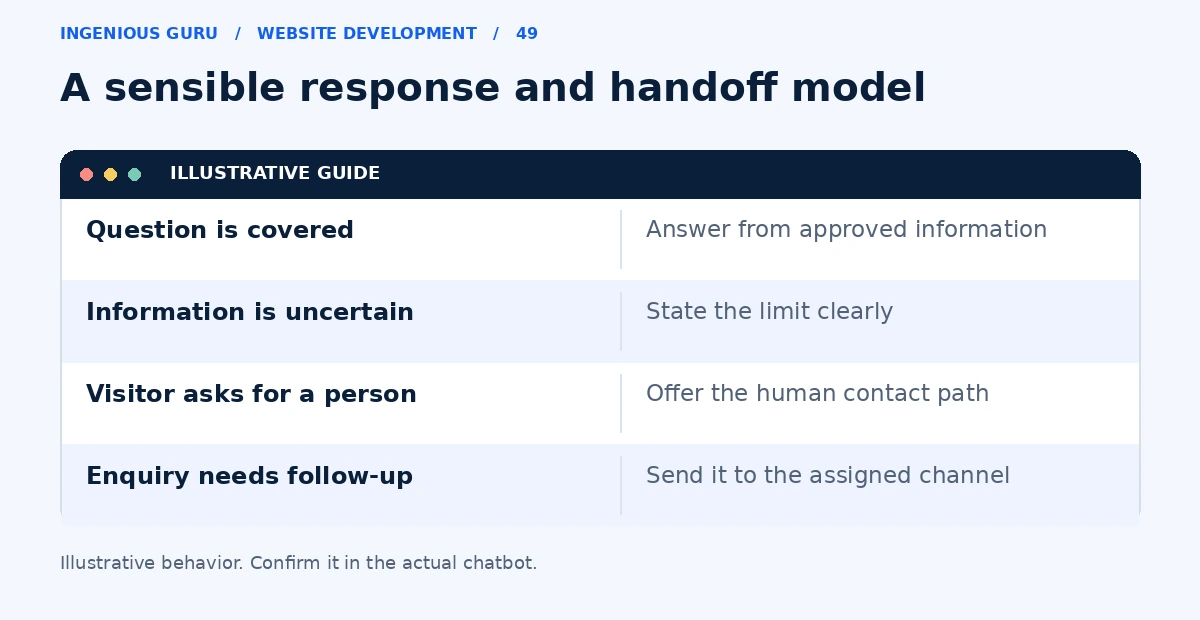
Use approved information and sensible limits
Provide accurate services, service areas, opening hours, policies, and current contact details. Give the assistant a way to say it does not know. If prices change by project, it should explain the quoting process rather than fabricate a fixed price.
Keep actions such as booking or changing customer records connected to the real system with appropriate checks. Start with a narrow task and expand only after the process works reliably.
Make the handoff useful
A visitor should be able to request a person or use a normal contact method. Explain when someone is available and how the follow-up works. Assign enquiries to a monitored inbox or CRM and verify that staff receive them.
Request only information needed for the task and tell visitors they are using an automated assistant. Do not require them to use the chatbot to reach important service information.
Test real questions and failure cases
Ask common questions, questions outside the business scope, an ambiguous price question, and a request for human help. Test the widget on mobile and confirm that it can be closed without covering the form or booking button.
Review unanswered questions and inaccurate responses after launch. Use the lead diagnosis guide to check the wider enquiry journey, and the online booking guide when the bot connects to appointments.
A chatbot launch checklist
- The assistant has a defined, useful task
- Business information and answer limits are approved
- A human handoff reaches a monitored channel
- Private credentials and usage costs are managed
- Accuracy, fallback behavior, and mobile controls are tested
A practical first step: Collect ten real customer questions and define the correct answers and handoff conditions. Test those questions in a limited preview before a site-wide launch.
If you need help choosing and integrating a chat tool, Ingenious Guru can discuss how it should fit the existing website and enquiry process. Share the platform and the chatbot's intended task.